
Vouchers can be redeemed on flight, hotel, and car rental bookings that are paid in advance on the Hopper app. Vouchers cannot be redeemed on pay-later bookings. In addition, each Voucher has a specific applicability:
For example: some only apply to one booking type (hotel, flight or car rental) and one destination, while others can be applied across booking types or across destinations.
If the value of an applicable Voucher in your Hopper Wallet exceeds the value of your Carrot Cash or other discounts, the prices you see in the Hopper app will reflect the price you would pay if you chose to redeem your Voucher on your booking. You also have the option to defer Vouchers to future bookings or, if you have Carrot Cash in addition to your Voucher, you can choose which of them to redeem on your booking. Note that if you choose to redeem a Voucher whose value is greater than that of your booking, the remaining amount will be forfeited.
For example: if you have Carrot Cash redeemable for the equivalent of $10 in savings and a $30 Voucher, the price you see will assume that the Voucher will be redeemed since it gives you the most savings. For hotel and flight bookings, you have the option to switch to Carrot Cash, or to defer all savings to a later booking.
The image below shows an example during a flight booking. Once on the "Hopper Wallet Savings" page, you can see that Carrot Cash offers the most savings for the trip being booked ($33.44), which is why it's selected. Again, you have the ability to toggle between which option you would like, or if you would rather keep your savings for another booking in the app:
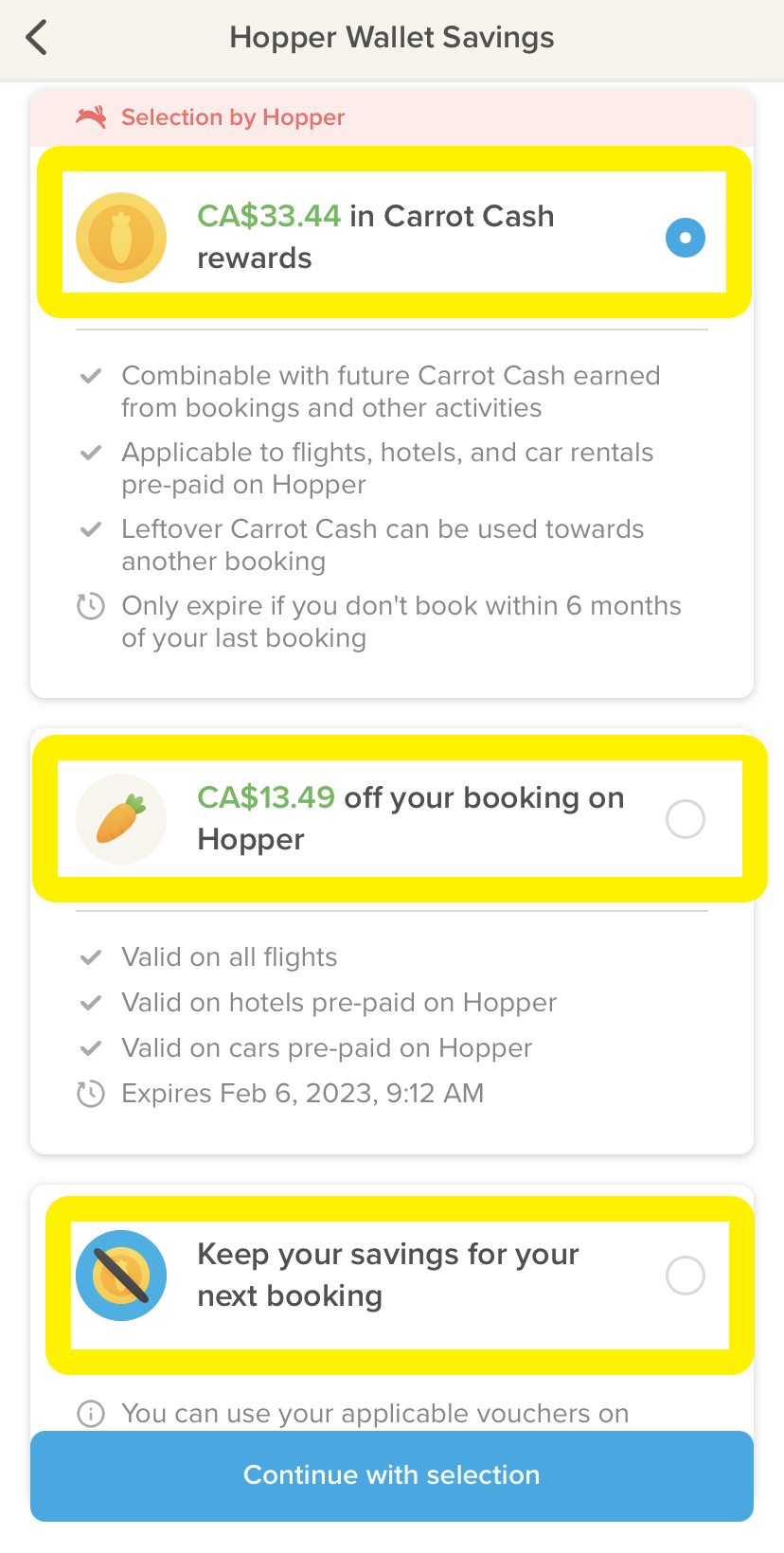
Note that your first-booking Vouchers for hotels, flights, and car rentals will be lost if unused on your first hotel, flight, and car rental booking, respectively.
For more information regarding Carrot Cash in your Hopper Wallet, please see the Carrot Cash section of these FAQs.
The terms, conditions, and restrictions applicable to the use of the Hopper Wallet, Carrot Cash, and Vouchers are contained in Hopper’s Terms of Service.
Comments
0 comments
Please sign in to leave a comment.